Chapter 2
Complete your hotel profile
The first four listing steps - about the hotel, location, hours and rules, and photos - and how to change them once live.
You set up your listing in six steps. This chapter covers steps 1 to 4: the profile pet owners read in the Pepetho app. Step 5 is in Add rooms and rates, step 6 in Send for review.
While you set up the listing, the backoffice is in focus mode: no side menu, one step per screen. The top shows "Step n of 6".
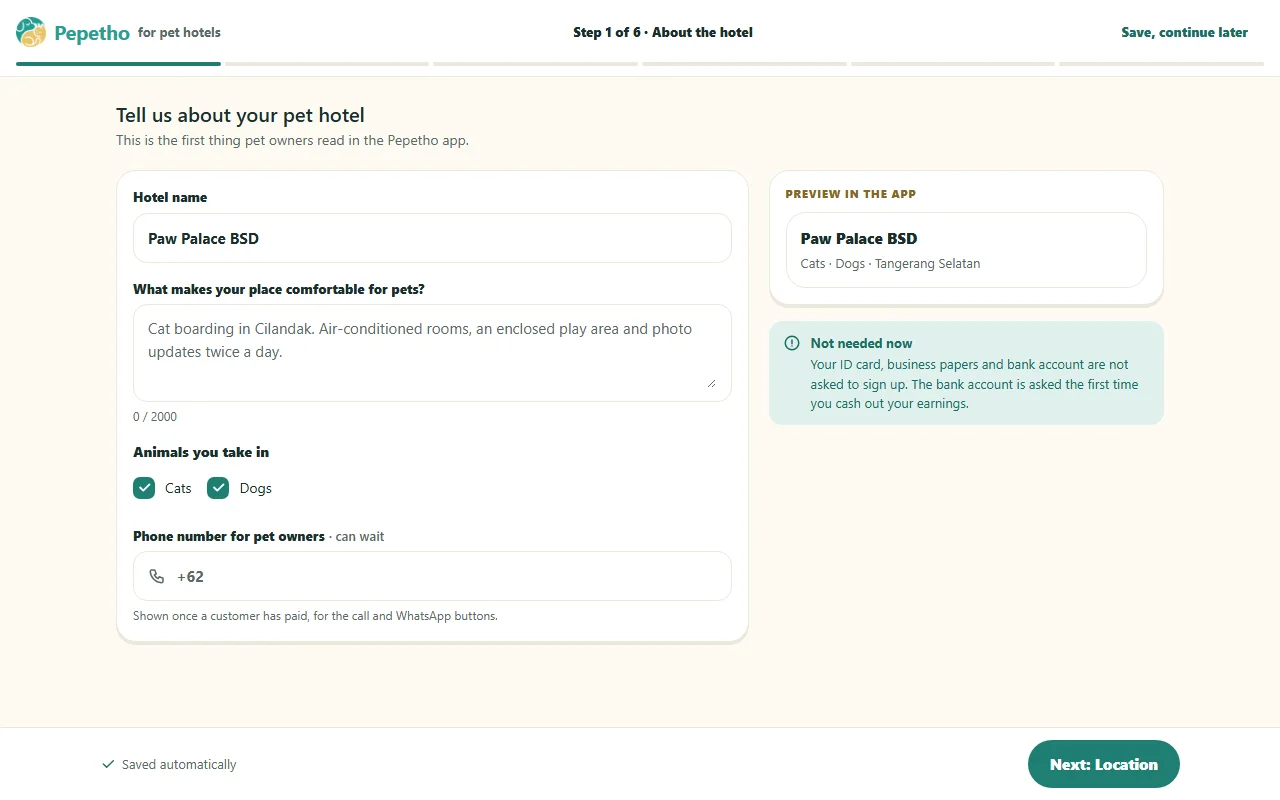
Step 1: About the hotel
- The pet hotel name and a short description. Say what makes your place comfortable for animals.
- Animals you take in: cats, dogs, or both.
- Phone number for pet owners (can wait). It shows after a customer pays, for the call and WhatsApp buttons.
Step 2: Location
- Choose the province, regency or city, district, down to the village. The postal code follows the village.
- Fill in Street and number.
- Set the Pin on the map. Paste a Google Maps link, type coordinates such as -6.2876, 106.8039, or press "Use current location".
The full address stays private. Before paying, customers only see the district and city. The street and map pin show once a booking is paid.
Step 3: Hours & rules
- Drop-off and pick-up hours. Customers choose a time within these ranges when they book. Use Quick picks or Set my own.
- House rules. Customers agree to them before paying. Tap a suggestion such as "Vaccines required" or "Flea-free", or write your own.
Write the rules you actually check. Clear rules mean fewer refusals at check-in.
Pepetho sets the cancellation policy for every pet hotel, so customers get the same terms everywhere.
Step 4: Photos
Upload at least 1 photo and up to 12. The first photo is the cover. The photos pet owners look for most: the front of the building, the play area, the food and water area, and how clean the rooms and bathroom are.
Take photos in daylight with the phone held sideways. Room photos come in the next step.
Stop and continue later
Everything saves automatically. Press "Save, continue later" at the top right to leave. When you sign in again, you return to the first step that is not complete.
If Next refuses, the message "Still missing: ..." names what is not filled in yet.
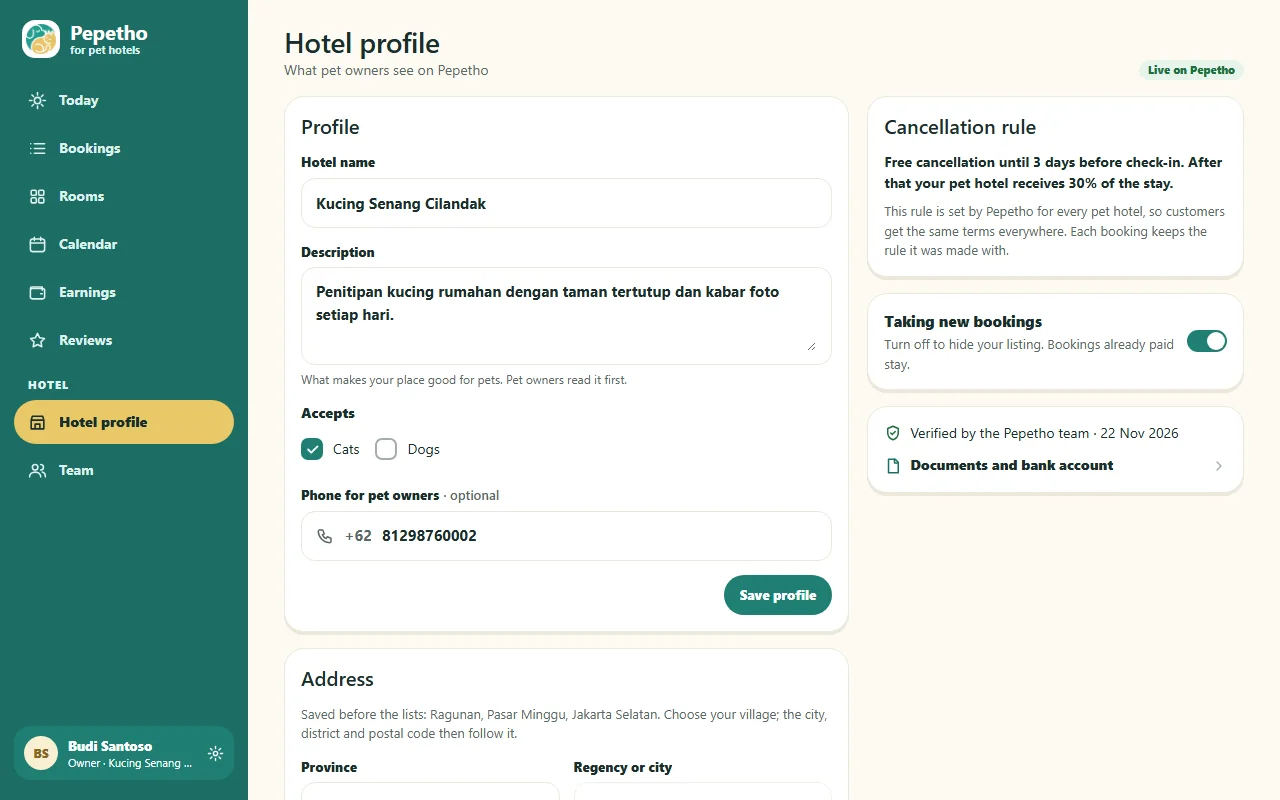
Changing the profile once live
Once your pet hotel is live, open Hotel profile (owner only). There you can change the name, description, address, hours, photos and house rules. The same page has the Taking new bookings switch to pause your listing. See Send for review.