

Chapter 10
Team and roles
Invite staff to the backoffice, understand the owner and staff roles, and deactivate access when needed.
Team is for the owner only and opens once your pet hotel is live. Every team member has their own account.
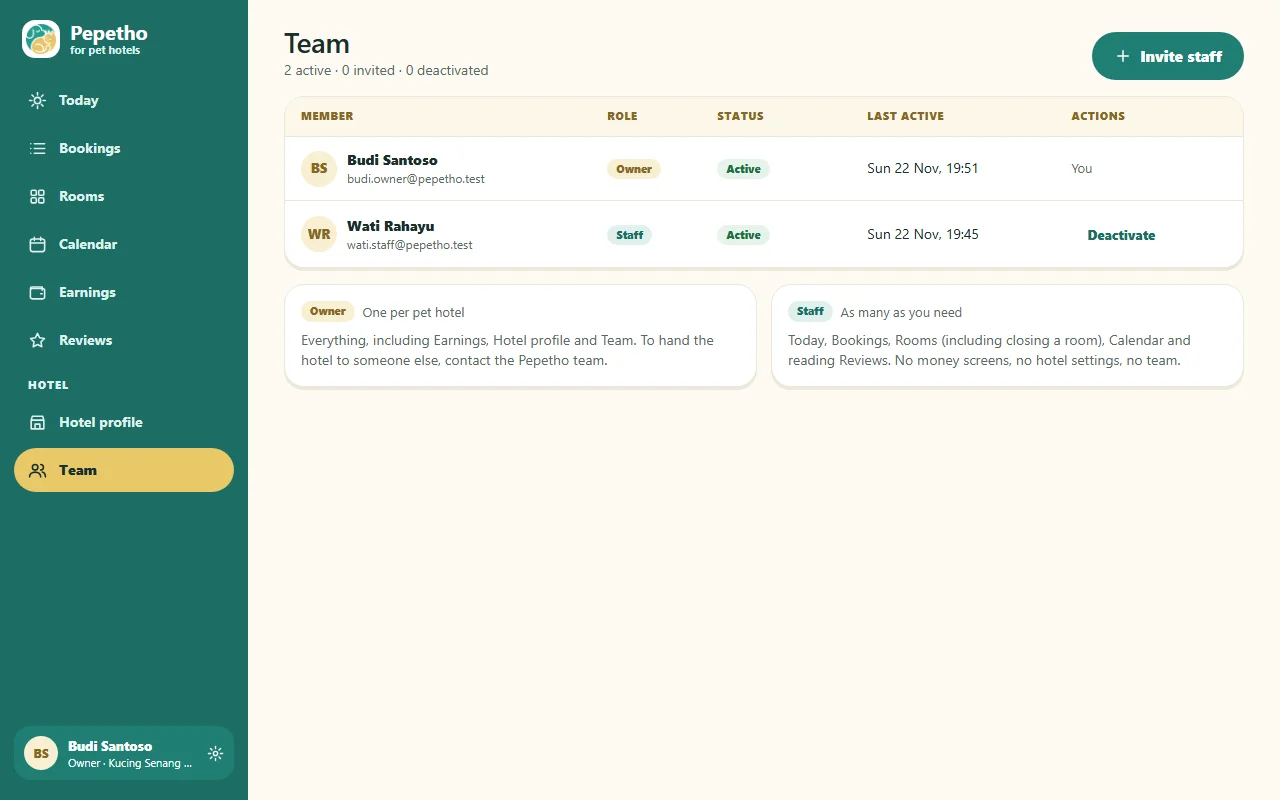
Owner and staff
- Owner: one per pet hotel. Can do everything, including Earnings, Hotel profile and Team. To hand the hotel over to someone else, contact the Pepetho team.
- Staff: as many as you need. They can open Today, Bookings, Rooms (including closing rooms), Calendar, and read Reviews. Staff cannot see earnings, change hotel settings or manage the team.
Inviting staff
- Open Team, then press "Invite staff".
- Fill in the staff member's Name and email.
- Press "Send invitation".
Staff get an email with a link to create their own password. An invitation has a time limit, shown in the list.
For invited staff
- Open the link in the invitation email.
- Fill in your name and create a password, then press "Accept and sign in".
- From then on, sign in at partner.pepetho.com with that email and password.
One account is for one pet hotel only. An email already registered at another pet hotel cannot be invited.
Managing invitations and access
- "Resend": send an unopened invitation email again.
- "Cancel invitation": the link in the email stops working.
- "Deactivate": the staff member can no longer sign in. The account stays.
- "Reactivate": a deactivated staff member can sign in again with the same email and password.