

Chapter 3
Add rooms and rates
Create room types with a nightly rate, units and photos, then set seasonal rates and closed dates once live.
Listing step 5 is Rooms & rates. One room type is enough to send the listing. You can add more at any time.
Room types and units
- A room type is a kind of room you offer, with one nightly rate. Example: "Standard Cage" at Rp 60,000 a night.
- A unit is an actual room or cage. Staff place each animal in a unit at check-in.
Creating a room type
- Press "New room type" in the listing step, or "Add room type" in Rooms once live. You can start from a common type, such as a standard cage or a small kennel, and change what does not fit.
- Fill in the Name pet owners see, cats or dogs, Pets per room and Max weight per pet (kg). Heavier animals cannot book this type.
- Fill in Minimum stay (nights) and the Nightly rate in rupiah, for example 60000.
- Fill in how many Units and the Unit name prefix, up to 5 characters. Units are numbered after it: K1, K2 and so on.
- Press "Save room type", then add at least 1 room photo.
Every room type needs units and at least one photo before the listing can be sent.
The Rooms menu once live
Rooms has three tabs:
- Types & rates: your room types and Holiday and seasonal rates.
- Board: every unit, and whether it is open today. Choose a unit to close it or open it again.
- Closed dates: days when the whole hotel or one room takes no guests.
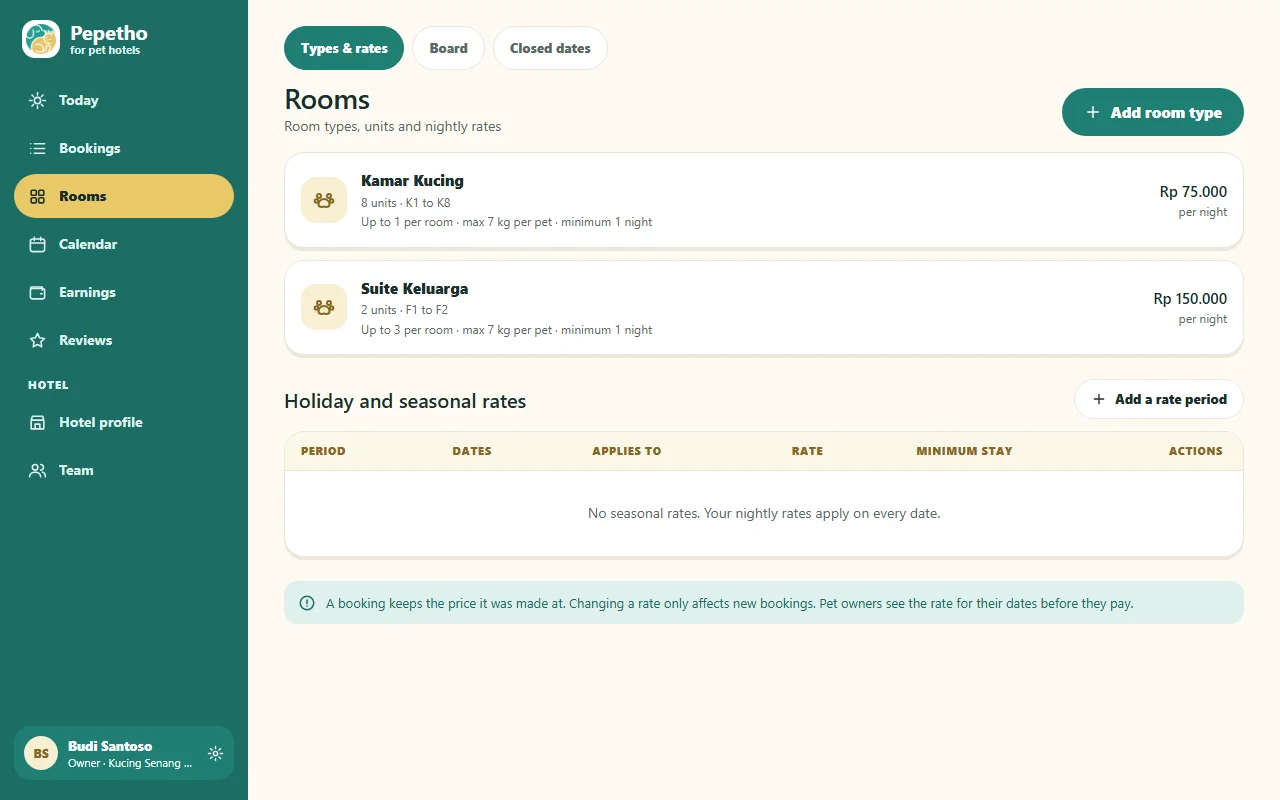
Seasonal rates
- On Types & rates, press "Add a rate period".
- Name it, for example "Eid 2027", then choose the first and last day.
- Choose the room types it applies to.
- Choose Percentage change (for example 25 for 25% more) or Fixed nightly rate.
- If needed, set a minimum stay for this period. Press "Save period".
A booking keeps the price it was made at. Rate changes only apply to new bookings.
Closing a room or the hotel
- One unit: on Board, choose the unit, or press "Close a room" at the top right. Fill in the first and last closed day.
- The whole hotel: on Closed dates, press "Add closed dates", for example for a holiday or renovation.
Pet owners cannot book on closed days. Press "Reopen" to open again. Nights that are already booked cannot be closed.
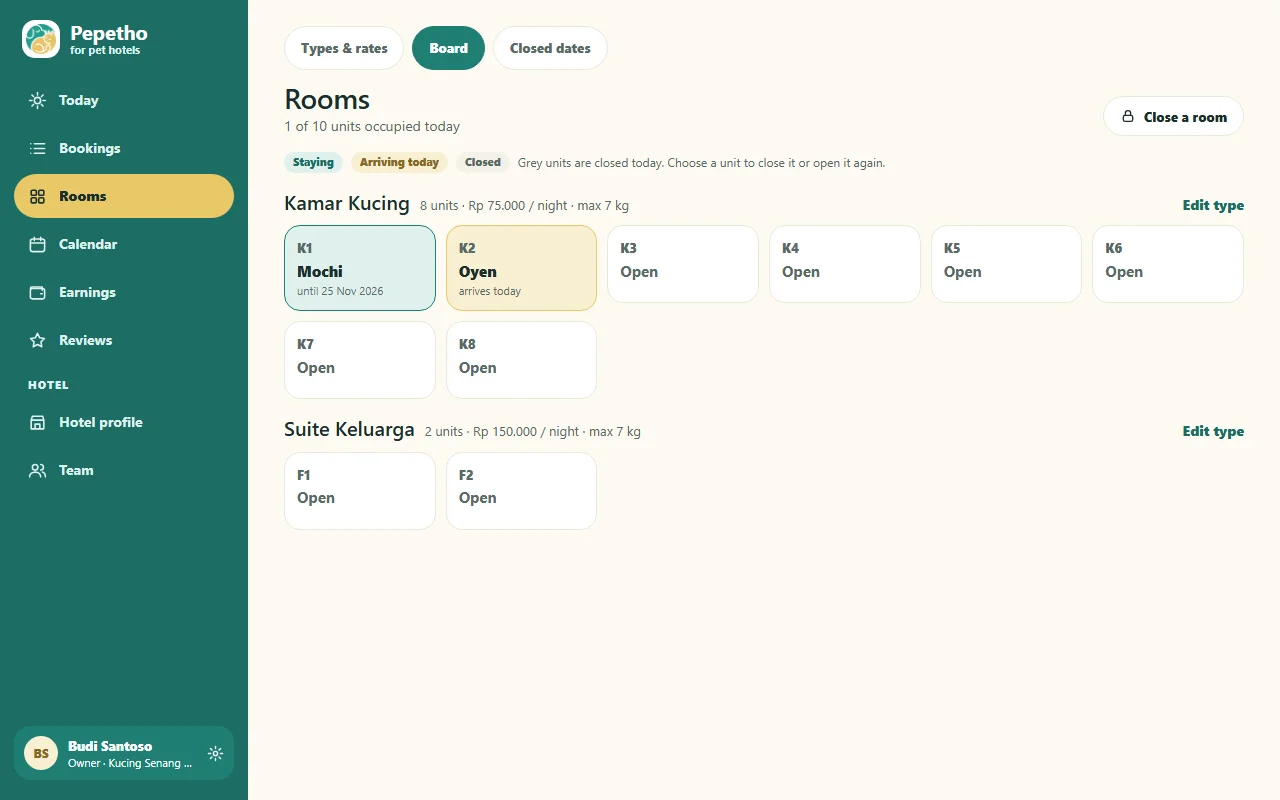
Who can change what
Only the owner adds or changes room types. Staff can see the rooms and close rooms on the board. While the listing is in review, room types and units are locked, but rates can still change.