Chapter 5
The Today page
See the animals arriving, staying and leaving today, and send the daily update to each pet owner.
Today is the first page after you sign in, for the owner and for staff. It shows today's work on one screen.
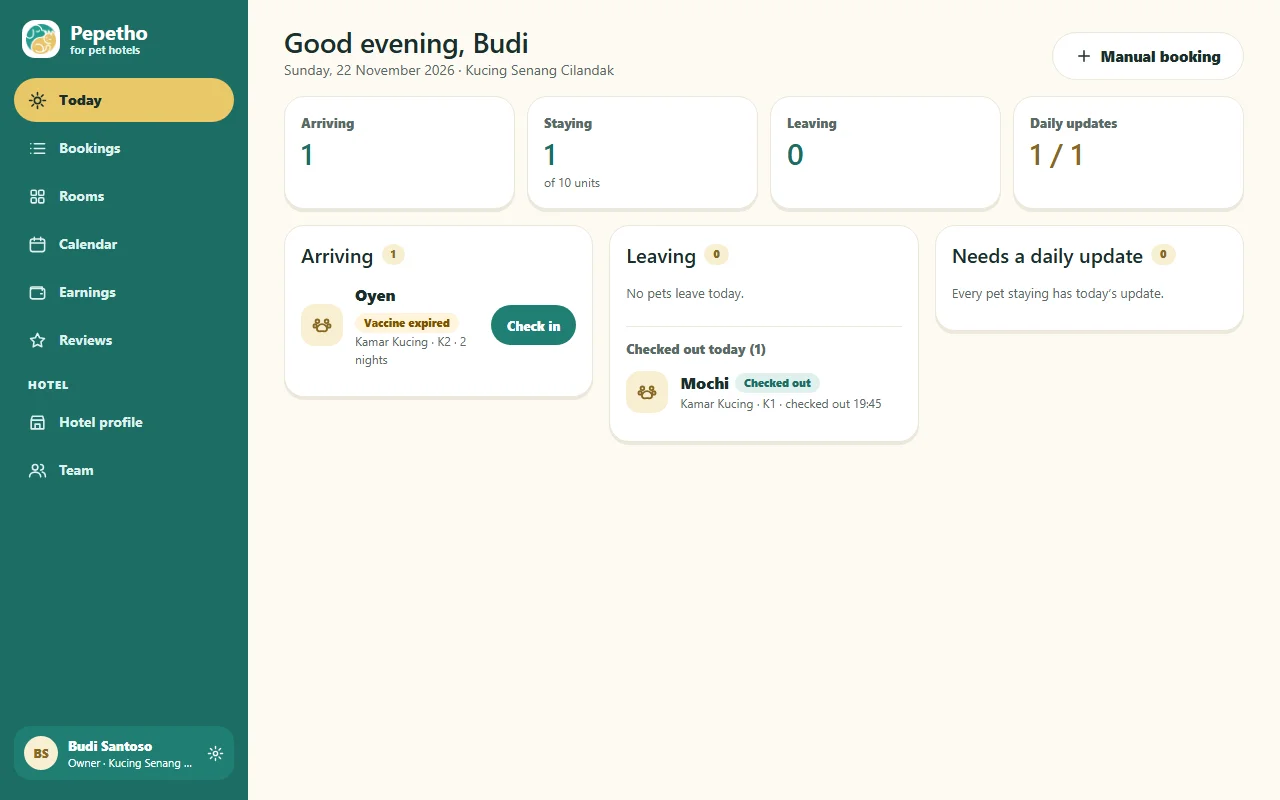
Today in numbers
The top shows four numbers:
- Arriving: animals due to check in today.
- Staying: animals staying now, out of all your units.
- Leaving: animals due to check out today.
- Daily updates: animals still waiting for today's update.
Three work lanes
- Arriving: press Check in when the owner hands the animal over. See Handling bookings.
- Leaving: press Check out when the animal is picked up.
- Needs a daily update: press Send update to send today's story and photos.
Small tags help you sort: Manual for bookings you recorded yourself, Due yesterday for animals not checked in yet, and Incident today.
Daily updates
Pet owners look forward to an update every day. Send one for every animal that is staying:
- Press Send update in Needs a daily update, or open the animal's stay.
- Write what the animal did today and add photos.
- Press "Send update to owner".
The pet owner is notified at once. For a manual booking, the guest gets no notice. Tell them yourself.
You can turn on the Daily update reminder at 16:00 email in Your account, for animals that have not had an update yet.
Reporting an incident
If an animal is ill, injured or escapes, open its stay and choose Report an incident. Write what happened and what you did, then send it. The pet owner is notified at once.
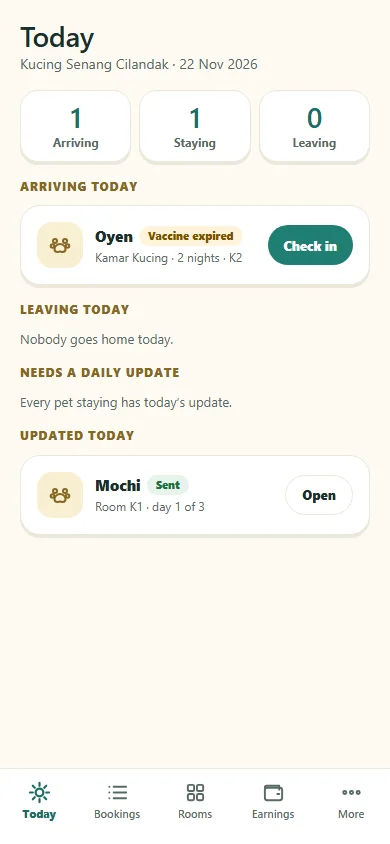
On a phone
On a phone, Today is a list of cards with large buttons. The menu is in the bottom tabs.